A payroll user is an individual login for the portal. Each user is tied to a user role that controls their permissions.
Before you begin
Have the person's name, a unique username, and their email addresses ready. The primary email is used for application notifications; the authentication email is used for security such as multi-factor authentication and password resets.
Create a payroll user
- Open Users
On the blue ribbon, select Administration then Users.
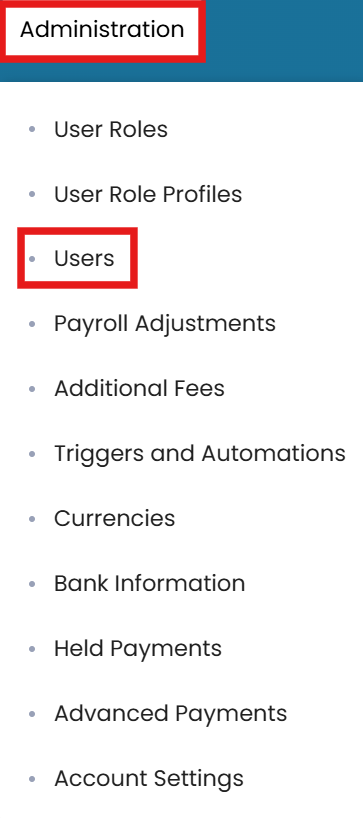
Administration → Users on the blue ribbon - New user
In the top-right corner, click the three dots and select New User.
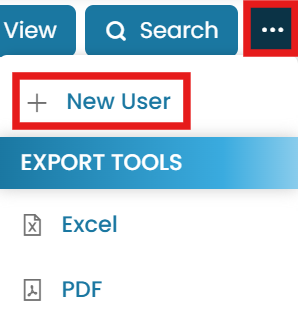
Choose New User - Enter a unique username and name
Enter a username (this must be unique across the entire ManageMyVessel portal), then the user's first and last name.

Enter a unique username and the user's name - Enter email addresses
Enter the primary email (notifications) and the authentication email (security, MFA, password resets).

Set primary and authentication emails and assign a role - Assign a role and submit
Select the user role to be assigned, enter any other required information, and click Submit.
Common questions
How do I create a payroll user?
Does the username have to be unique?
What are the two email fields for?
Do I need a user role first?
How do I assign permissions to the new user?
Still stuck on this step?
Our payroll support team will pick it up as a Zendesk ticket and reply by email.