A user role profile is a template that contains permissions and settings. You can assign multiple user roles to a profile, allowing them to share the same settings while having different usernames.
What a role profile is
Use a profile when several roles should behave identically — configure the profile once and attach the roles to it, rather than repeating the setup for each.
Create a user role profile
- Open User Role Profiles
On the blue ribbon, select Administration then User Role Profiles.
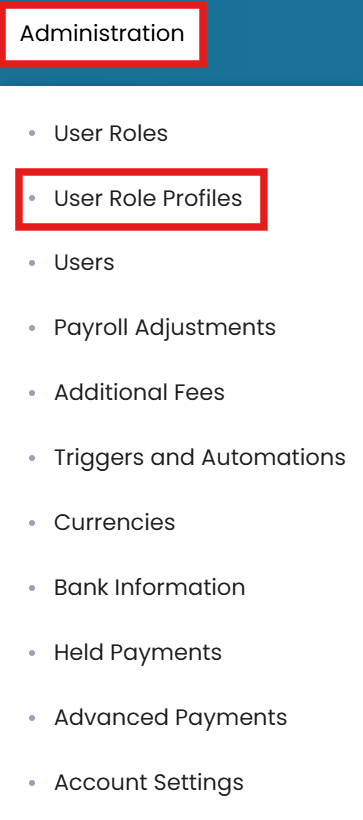
Administration → User Role Profiles - New profile
In the top-right corner, click the three dots and select New Profile.
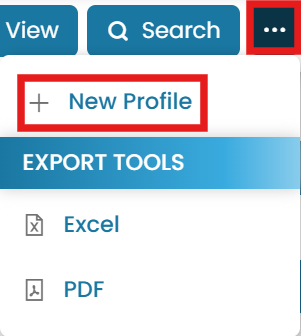
Choose New Profile - Name it and set permissions
Enter a title for the user role profile. Tick the checkbox if you want the profile to have full permissions.

Name the profile and set full permissions if required - Submit
Once done, click Submit.
Duplicating or copying settings
To duplicate the profile, go to the Properties tab, click the three dots and select Create Duplicate. To copy settings from another role, select Copy Settings from Another User Role.


Common questions
What is a user role profile?
How do I create a role profile?
When should I use a profile instead of a role?
Can I duplicate a role profile?
How is a profile different from a role?
Still stuck on this step?
Our payroll support team will pick it up as a Zendesk ticket and reply by email.