A payroll adjustment is any authorised addition or deduction applied to a crew member's payroll, separate from regular wages or salary — for example a bonus, allowance, or deduction — ensuring accurate and compliant payment.
What adjustments are
Each adjustment can be a fixed amount or a percentage, and you control whether it appears on the payslip, counts toward the final salary, counts toward the payroll amount, and whether it is taxable.
Create an adjustment
- Open Payroll Adjustments
On the blue ribbon, click Administration and select Payroll Adjustments.
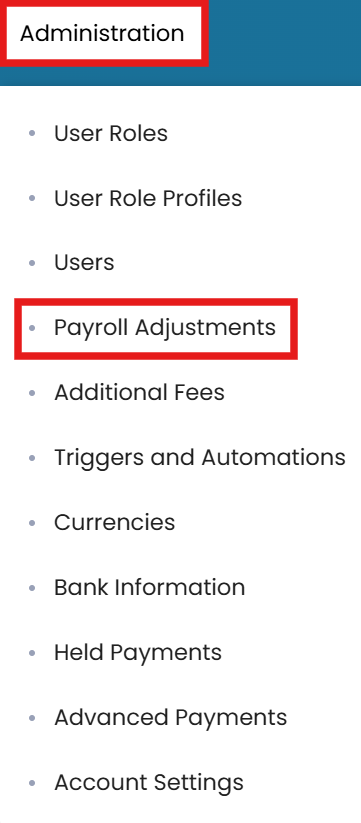
Administration → Payroll Adjustments - Edit
In the top-right corner, click the Edit button, then click the Add icon to add an adjustment.

Edit, then add a new adjustment - Name and type
Enter the title for the adjustment and select the type (variable amount or percentage).
- Set the flags
Tick the checkboxes to include the item on the payroll slip, in the final salary calculation, in the payroll amount calculation, and to mark it taxable if applicable.

Set the payslip, salary, calculation and taxable flags - Submit
Once done, click Submit.
Applying adjustments to crew
Once the adjustments have been defined, you can add them to a crew profile from the Crew module.
Common questions
What is a payroll adjustment?
How do I create an adjustment?
What do the checkboxes control?
Can an adjustment be a percentage?
How do I apply an adjustment to a crew member?
Still stuck on this step?
Our payroll support team will pick it up as a Zendesk ticket and reply by email.