
Setting the source bank defines which bank account will be used to pay a specific crew member's salary. This is required so that complete payment instructions are included when submitting payments to your bank.
What the source bank does
The source bank is chosen per crew member from the accounts you added under Bank Information. A missing source bank is a common cause of a payment being delayed.
Set the source bank
- Open the Crew module
Click the Modules icon and select Crew.
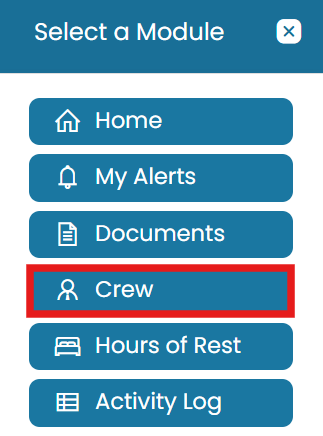
Modules → Crew, then View the crew member - Open the crew member
Click the View icon next to the crew member's name.
- Edit payroll data
On the Payroll Provider Data tab, click the Edit button in the top-right corner.
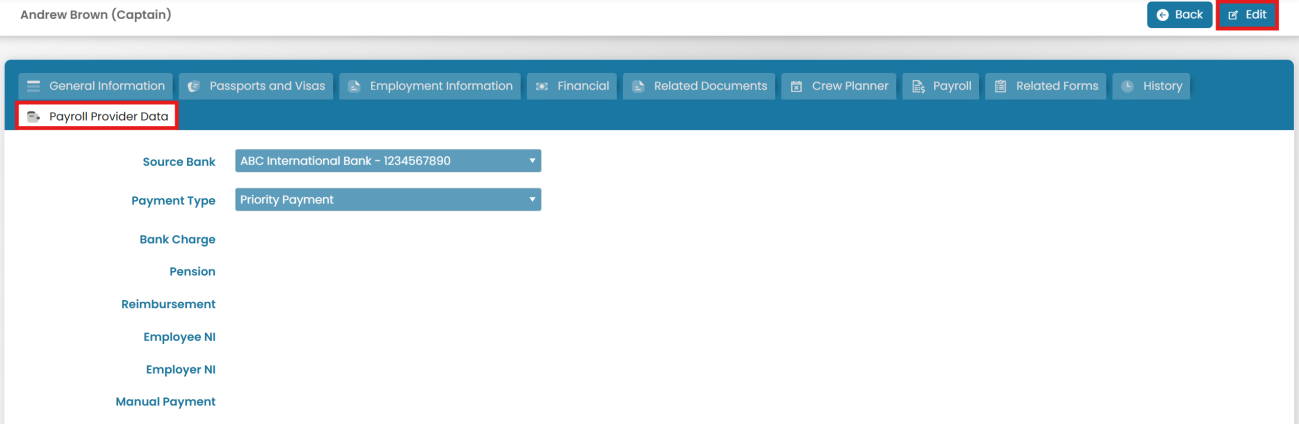
Payroll Provider Data tab — Edit - Choose the source bank
Select the appropriate Source Bank from the dropdown menu.
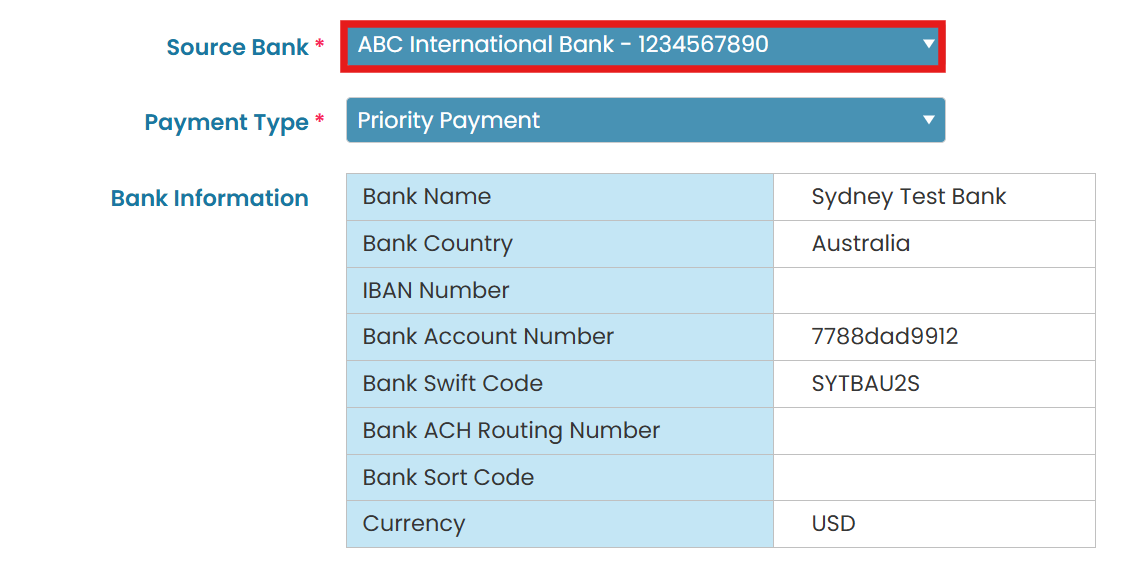
Select the Source Bank and Submit - Submit
Once completed, click Submit to save the changes.
Common questions
What is the source bank?
The bank account used to pay a specific crew member's salary. Setting it ensures complete payment instructions are included when submitting payments to your bank.
How do I set a crew member's source bank?
Open Modules → Crew, click the View icon next to the crew member, go to the Payroll Provider Data tab, click Edit, select the Source Bank from the dropdown, and Submit.
Where do the source bank options come from?
From the accounts you added under Administration → Bank Information.
What happens if the source bank is missing?
Payment instructions are incomplete, which is a common cause of a payment being delayed. Set the source bank before running payroll.
Which tab holds the source bank setting?
The Payroll Provider Data tab on the crew member's profile.
Was this article helpful?
Still stuck on this step?
Our payroll support team will pick it up as a Zendesk ticket and reply by email.